



Free shipping
Free for orders over €65 for most countries.
Your order is always checked manually
.
9.2/10
from 2433 customer reviews
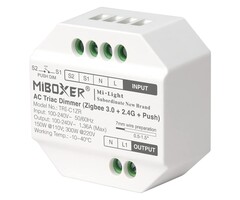
MiboxerTRI-C1ZR AC Triac LED Dimmer Zigbee RF (Remote Control) and Push Button Compatible
Show all:
Accessories,Controllers


Free shipping Free for orders over €65 for most countries.
Ordered before 15:00 = shipped the same day .
Your order is always checked manually .
9.2/10 from 2433 customer reviews
- Make your existing dimmable lighting smart and easily adjust the brightness via an app!
- Fits inside your existing wall box, optionally behind a push button.
- Control the dimmer with MiBoxer RF remote controls, such as the C1, C3 en FUT007.
- 3-year warranty.
- A Zigbee gateway is required to control the dimmer via an app.
Description
MiBoxer TRI-C1ZR AC Triac LED Dimmer with Zigbee, RF and Push Button Control
The MiBoxer TRI-C1ZR is a compact AC Triac dimmer for controlling dimmable LED lighting directly from a 100–240V AC supply. It supports three control methods: Zigbee smart home, MiBoxer 2.4GHz RF remote controls and a wired push button. You can choose the control method that best suits your installation.
Thanks to its compact design, the dimmer can be installed in a suitable wall box or junction box behind a switch. This allows compatible dimmable lighting to be controlled intelligently without the need for a separate visible dimmer.
Three ways to control your lighting
1. Zigbee smart home control
The TRI-C1ZR supports Zigbee 3.0 and can be paired with a compatible Zigbee gateway or smart home controller. Using a suitable app, you can switch the lighting on and off, adjust its brightness and, where supported, include it in groups, scenes and automations.
According to the manufacturer, the dimmer is suitable for compatible systems and gateways from Philips Hue, MiBoxer and IKEA TRÅDFRI. Other Zigbee systems may also work, depending on the gateway and its supported device functions. Check that dimmer control is supported before purchasing.
How to pair the dimmer:
- Connect the dimmer correctly and switch on the mains supply.
- The dimmer is in pairing mode by default. If it is not, press and hold the SET button for approximately 3 seconds until the indicator flashes rapidly.
- Open the app for your compatible Zigbee gateway and select the option to add a new device.
- Follow the app instructions to add the dimmer to your network.
A compatible Zigbee gateway is required for smartphone control. The available functions depend on the smart home system being used.
2. Wireless control with a MiBoxer remote control
The TRI-C1ZR has a built-in 2.4GHz RF receiver and works with compatible MiBoxer RF remote controls. You can switch the lighting on and off and adjust its brightness wirelessly without needing a Zigbee gateway.
How to pair a remote control:
- Switch on the dimmer and briefly press the LINK button once. Alternatively, disconnect the power for 10 seconds and then switch it on again.
- Within 3 seconds, briefly press the I button on the compatible MiBoxer remote control three times.
- The connected lighting flashes slowly three times to confirm successful pairing.
Not every MiBoxer remote control is compatible. Check whether your specific model is supported before purchasing.
3. Control with a wired push button
The TRI-C1ZR can also be connected to a suitable external push button, such as a wall-mounted momentary switch. This allows you to operate the lighting without a smartphone or remote control.
- Brief press: switches the lighting on or off.
- Press and hold: gradually adjusts the brightness.
- Press and hold again: reverses the dimming direction, allowing you to increase or decrease the brightness.
Use a suitable momentary push button that returns to its original position when released. Connect it to the designated PUSH terminal according to the manufacturer's wiring diagram.
Connecting the dimmer
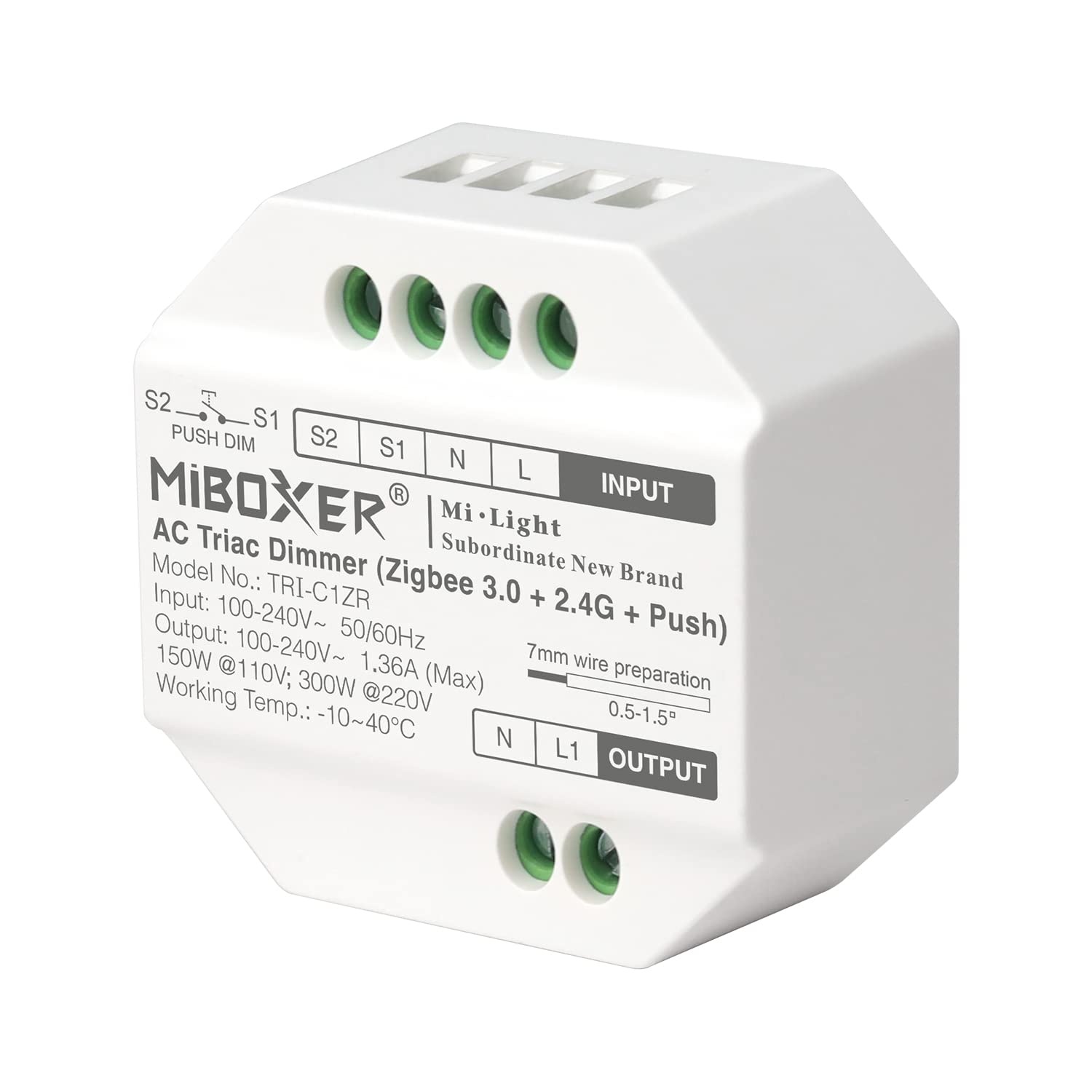
The TRI-C1ZR connects directly to the mains supply. It has terminals for the power supply, lighting output and an external push button.
- Power supply: connect the live (L) and neutral (N) wires of the 100–240V AC supply to the marked input terminals.
- Lighting: connect compatible dimmable LED lighting or another suitable load to the marked output terminals according to the official wiring diagram.
- Push button: connect the push button to the designated PUSH terminal and associated terminal as shown in the wiring diagram.
Important: always follow the markings on the dimmer and the official wiring diagram. Connecting the input and output incorrectly may damage the device. Electrical connections should be carried out by a qualified electrician.
Installation in a wall box
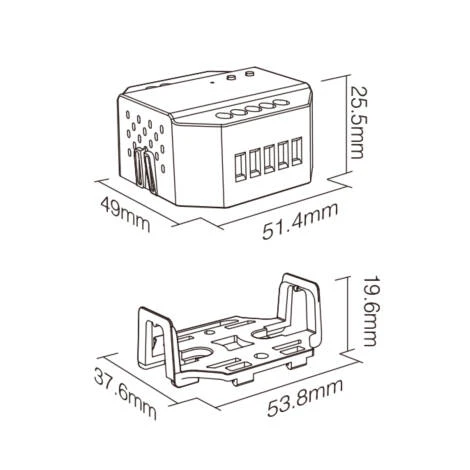
Thanks to its compact design, the TRI-C1ZR can be installed in a suitable wall box or junction box, for example behind an existing switch or push button.
- Switch off the power. Turn off the relevant circuit and use a suitable measuring instrument to verify that the installation is de-energised.
- Check the wall box. Use a suitable plastic wall box or junction box with a depth greater than 50 mm. Additional space is needed for the dimmer, wiring and terminals.
- Connect the wiring. Connect the power supply, lighting and, if required, the push button according to the wiring diagram. Make sure all connections are secure and no bare conductors are exposed.
- Fit the dimmer. Arrange the wires carefully inside the box. Do not trap any cables or put mechanical strain on the terminals.
- Finish the installation. Refit the cover. Only restore power after all connections have been checked and the installation has been safely enclosed.
A plastic wall box is preferred. A metal box may weaken the wireless signal. Ensure there is sufficient space around the dimmer and do not cover it with insulation material.
Compatible lighting and dimming technology
The TRI-C1ZR uses trailing-edge phase-cut dimming. It is designed for compatible Triac-dimmable LED lighting and suitable incandescent and halogen lamps. Not every LED lamp supports this dimming method, so always check the specifications of the lamp or light fitting.
The minimum brightness can be adjusted to improve performance at low dimming levels. The actual dimming range and light quality also depend on the lamp or LED driver being used.
Important notes
- Only use lighting that is suitable for trailing-edge phase-cut dimming.
- Do not exceed the maximum output current or permitted power rating. Also consider the inrush current of connected LED drivers.
- A compatible Zigbee gateway or controller is required for smart home control.
- A compatible MiBoxer 2.4GHz RF remote control is required for wireless remote operation.
- The dimmer is rated IP20 and is not suitable for direct exposure to moisture.
- Work on 230V electrical installations must be carried out safely and in accordance with applicable electrical regulations.
Manual
Download the TRI-C1ZR manual here.
Specifications
- Brand: Miboxer
- EAN: 6970602183507
- Article number: 000280
- Length: 54 mm
- Width: 51 mm
- Height: 20 mm
- IP Rating: IP20
- Waterproof: No
- Housing material: ABS
- Input voltage: AC100-265V 50/60Hz
- Output voltage: 100–240V AC
- Number of channels: 1
- Maximum current per channel:: 1.36A
- Maximum total current: 1.36A
- Maximum total power at 12V: N/A
- Maximum total power at 24V: N/A
- Suitable for: Trailing-edge phase-cut dimmable lighting 230V
- Protocol: Zigbee 3.0 / 2.4GHz RF / Push
- Reception range: 30 meters
- Operating temperature: -20~60℃
- Warranty: 3 years
- Zigbee 3.0: Yes
Reviews
0/5
No reviews found
Add your reviewRecently viewed